
NFC Checkin1.7 - Get APK
You'll be able to download in few seconds.
Publisher Description
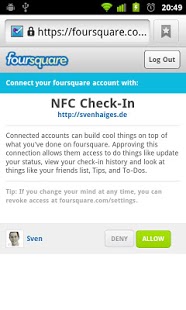
Checkin to Foursquare Venues using NFC tags!
But wait: should know that this app is a little pet project. Consider it beta quality and let me know if you encounter issues before rating so we can together improve the app!
Here's what you get:
- Link to your Foursquare.com account
- Search for venues, write venue data to NFC tag
- Long-click on a venue to directly checkin
- Tap a written NFC tag to automatically check in
- A beep signals the NFC checkin and a status bar notification shows up. Clicking the status bar notification links to the venue web page.
This is an experiment using NFC (Near Field Communication) and Foursquare (see foursquare.com). I am not affiliated in any kind with Foursquare.
Here's what I use it for: for frequently visited venues, I created nfc tags using this application. I put the tags (stickers, really) at the entrance door of my favorite restaurant, at the coffee machine at work or... I think you get it. Keep in mind you first need to create the venues using the foursquare app before you can search and write them to a nfc tag using this app. Once you have tagged your locations, you can simply tap the tag to checkin instead of having to search for the venue, click a couple times, etc.
You need tags? Good places to buy them are tagage.net, smartcardfocus.com or nfc4me.com. I recommend to choose NFC-Forum Type 2 Tags, e.g. the Mifare Ultralight.
What's planned for the future:
- make tags read-only once written (Mifare Ultralight only)
About NFC Checkin
The company that develops NFC Checkin is Sven Haiges. The latest version released by its developer is 1.7.
To install NFC Checkin on your Android device, just click the green Continue To App button above to start the installation process. The app is listed on our website since 2012-12-18 and was downloaded 0 times. We have already checked if the download link is safe, however for your own protection we recommend that you scan the downloaded app with your antivirus. Your antivirus may detect the NFC Checkin as malware as malware if the download link to de.flavor.fsnfc is broken.
How to install NFC Checkin on your Android device:
- Click on the Continue To App button on our website. This will redirect you to Google Play.
- Once the NFC Checkin is shown in the Google Play listing of your Android device, you can start its download and installation. Tap on the Install button located below the search bar and to the right of the app icon.
- A pop-up window with the permissions required by NFC Checkin will be shown. Click on Accept to continue the process.
- NFC Checkin will be downloaded onto your device, displaying a progress. Once the download completes, the installation will start and you'll get a notification after the installation is finished.
Program Details
System requirements
Download information
Pricing
Version History
version 1.7
posted on 2012-12-18
4SQ changed the checkin response format, which caused the app to fail. This was now fixed and checkins and the notifications work again.
version 1.7
posted on 2012-12-18
Several fixes and updates
Disclaimer
External Download
We do not host NFC Checkin on our servers. We did not scan it for viruses, adware, spyware or other type of malware. This app is hosted by Galad and passed their terms and conditions to be listed there. We recommend caution when installing it.
The APK Download link for NFC Checkin is provided to you by apps112.com without any warranties, representations or guarantees of any kind, so access it at your own risk.
If you have questions regarding this particular app contact the publisher directly. For questions about the functionalities of apps112.com contact us.
